P1.29(2) May 06, 2026
← Timeline Version P1.29(2)
Released: May 06, 2026
Online Check-In & Digital Key Status on Dashboard 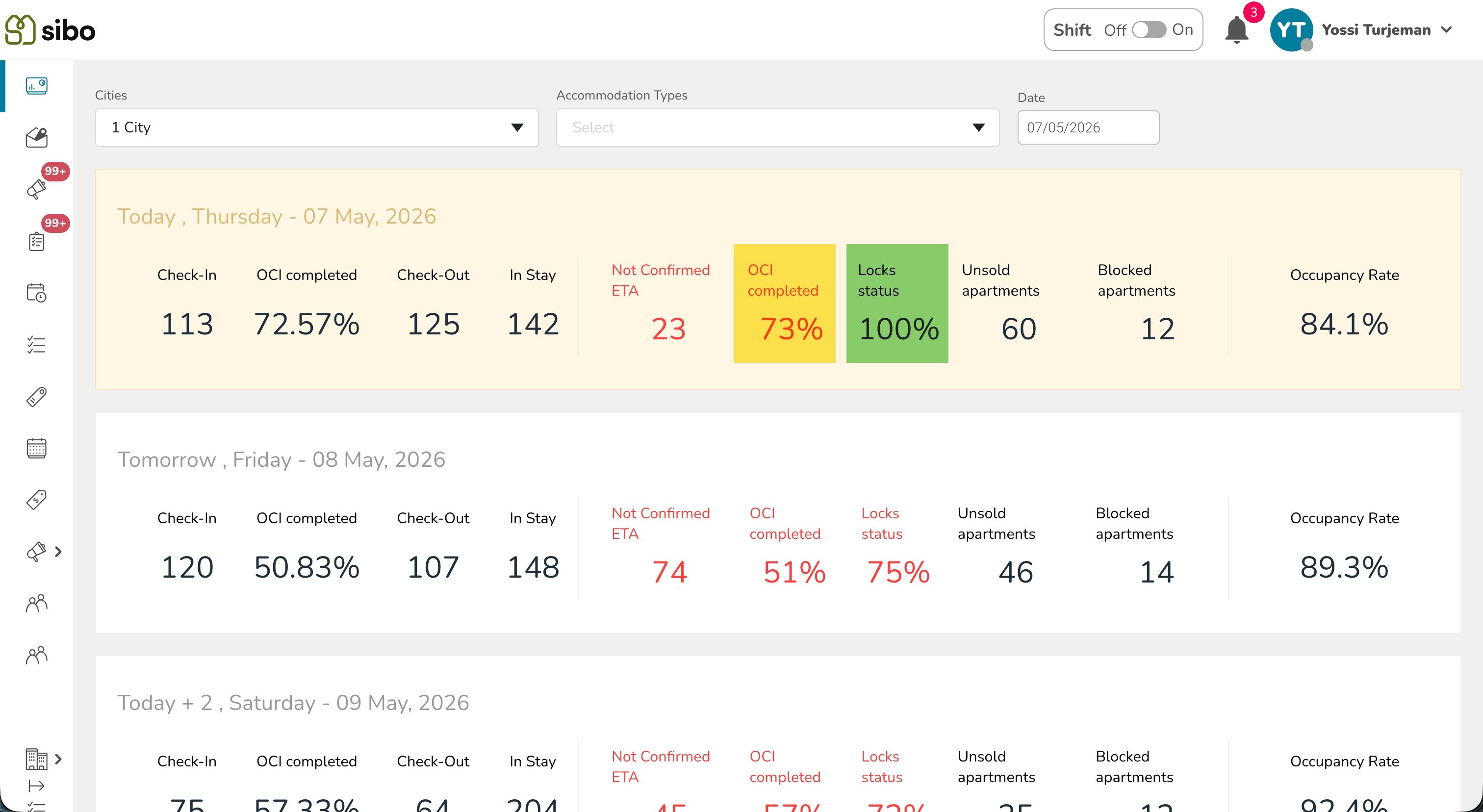
City Guidebooks in Booking Details 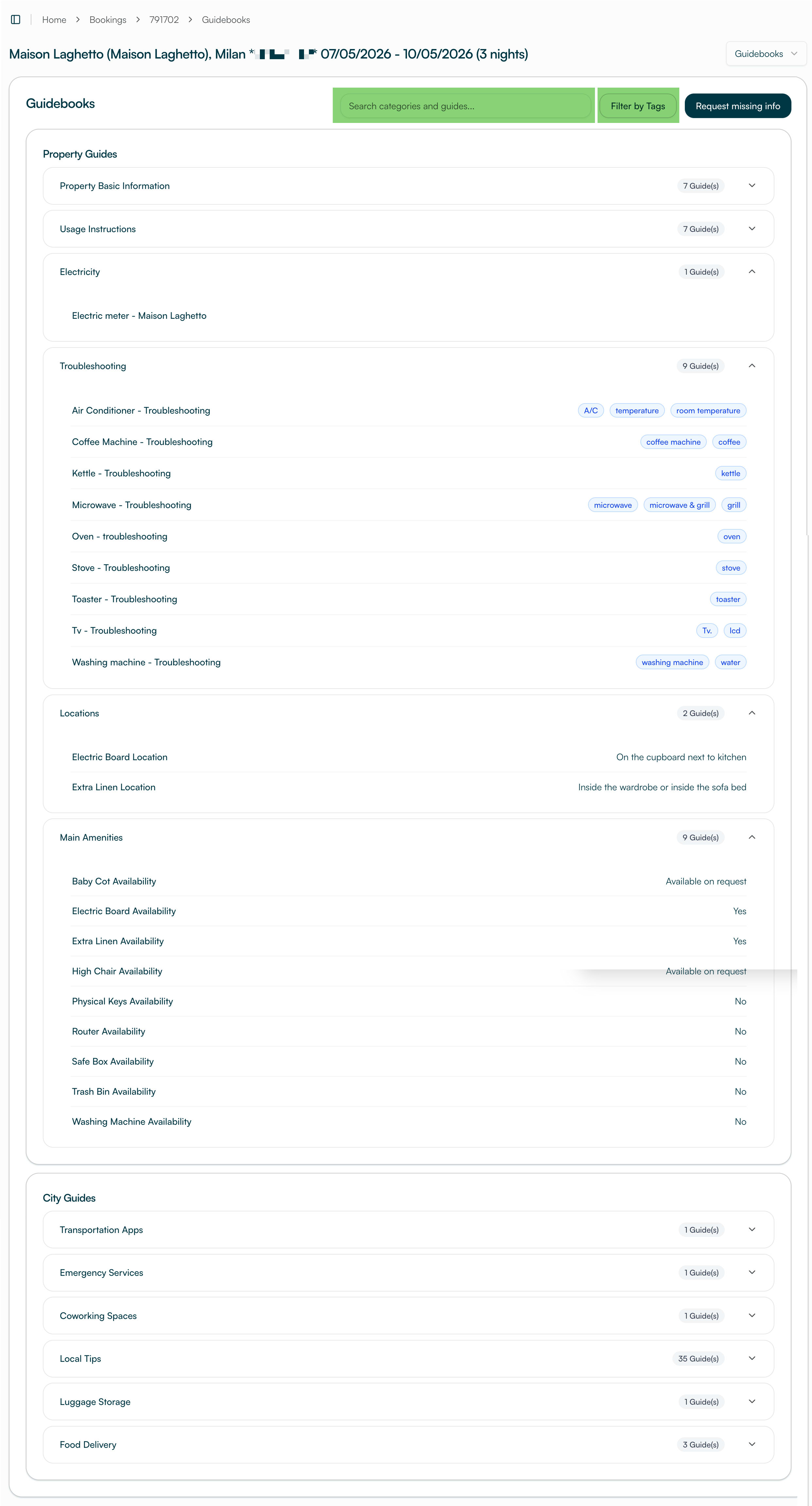
Extension Link via Airbnb 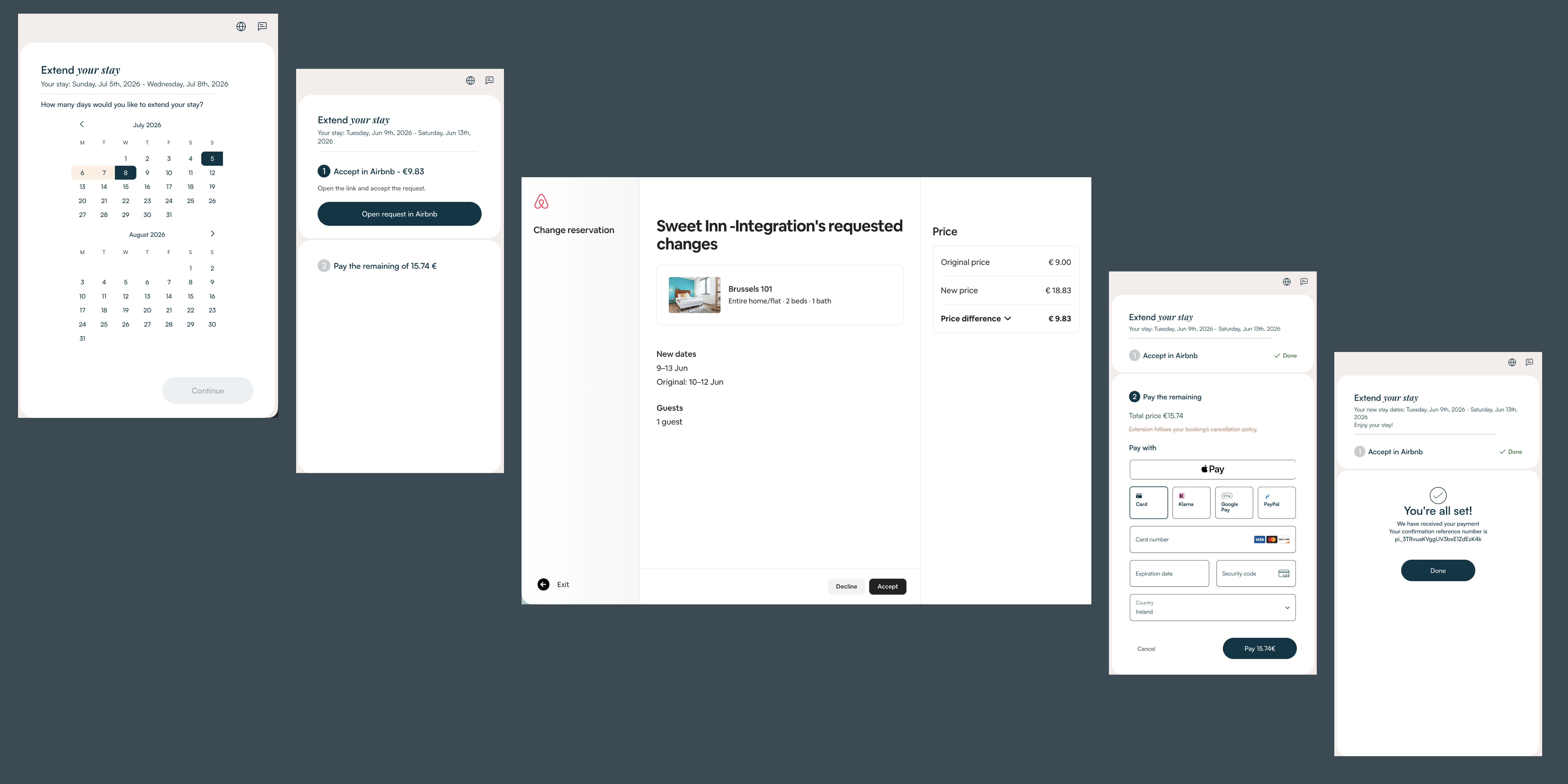
Extension Availability Pre-Check 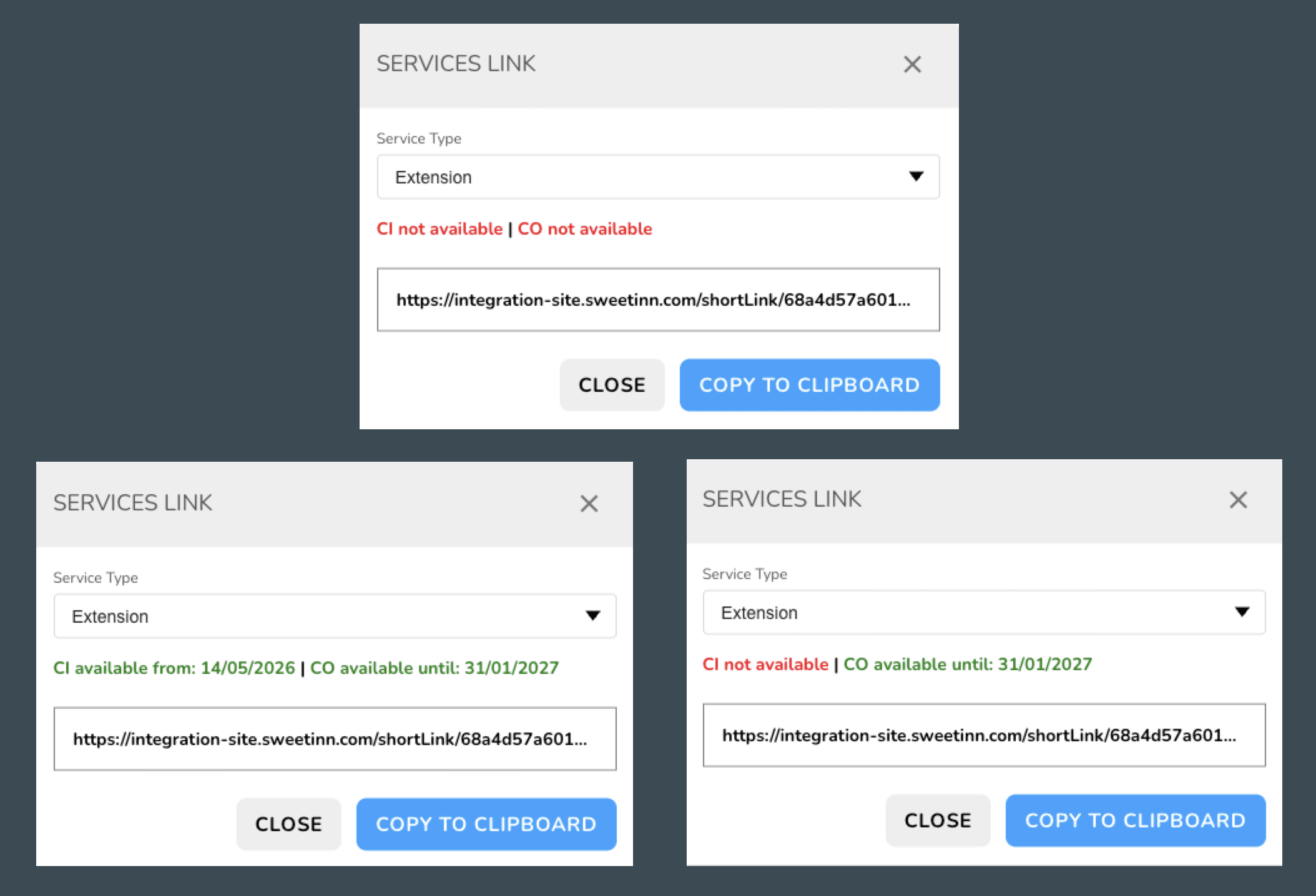
Warning When Scheduling Outside Guest’s Access Window 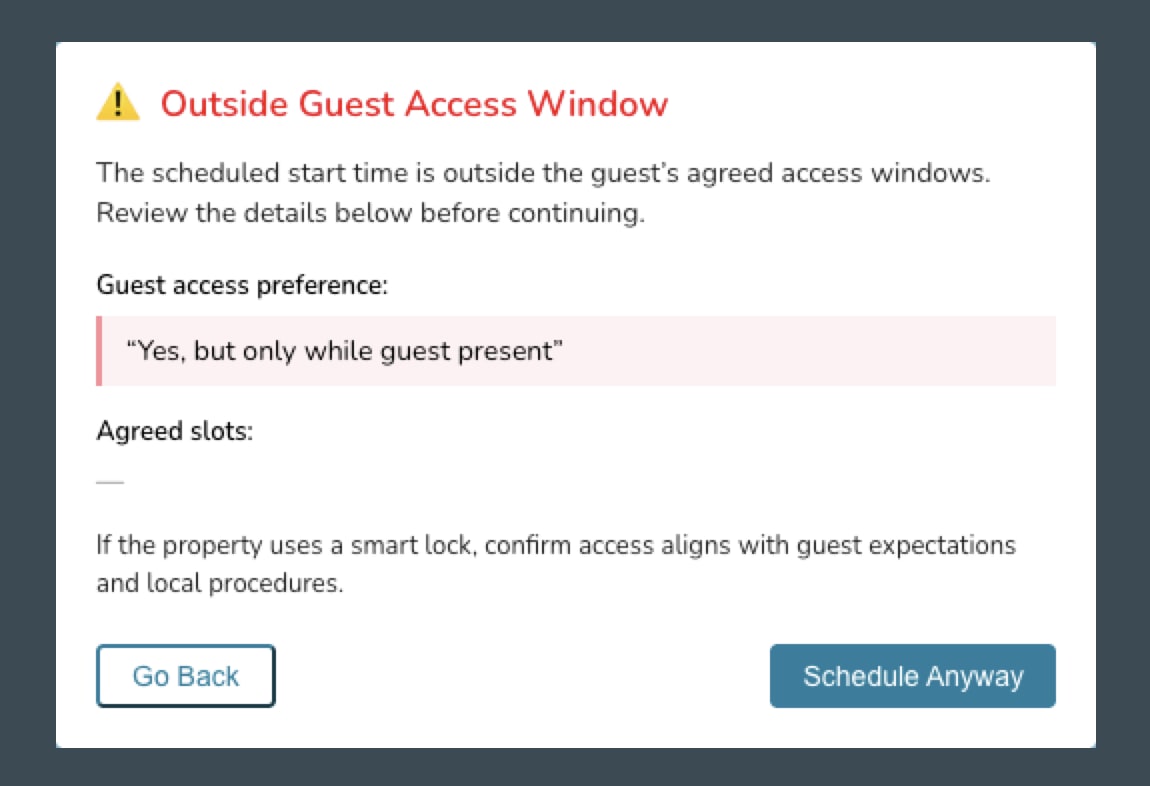
Maintenance Visibility & Auto-Scheduling in the Cleaning Planner 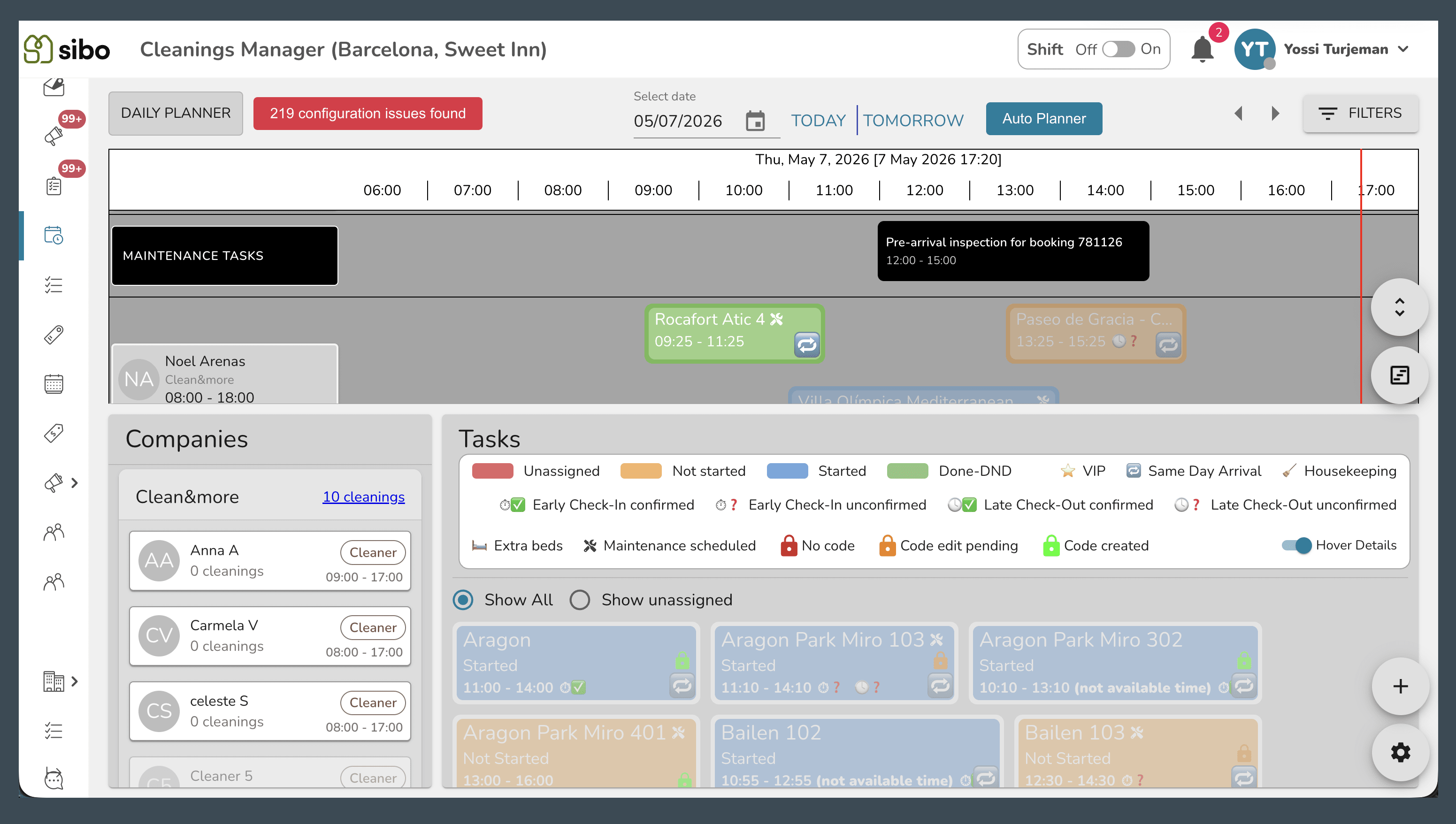
What’s New?
Website & App
Direct Sales & Extensions:
- Extension Link via Airbnb — Guests with an Airbnb booking can now extend their stay directly from the extension link or their booking dashboard. Choosing new dates, the system automatically submits the alteration request to Airbnb, and the guest approves and pays there. No more manual coordination needed in guest messaging.
SIBO
Dashboard & Insights:
- Online Check-In & Digital Key Status on Dashboard — The SIBO dashboard now shows two new readiness columns for each booking: the percentage of guests who have completed online check-in, and the percentage with a working digital key. Clicking either column opens a filtered list of the bookings that still need attention — saving agents the manual work of preparing for arrivals every day.
Direct Sales:
- Extension Availability Pre-Check — Before sharing an extension offer with a guest, operators can verify whether the extension dates are available and the booking is eligible — directly from the services links appearing in the booking details screen in SIBO. Clear availability indicators and dates are shown, so staff can confidently offer extensions without back-and-forth.
Task Management:
- Warning When Scheduling Outside Guest’s Access Window — When an operator schedules or reschedules a maintenance task linked to a guest report, a warning now appears if the selected time falls outside the window the guest agreed to. The operator can go back and pick a different time, or proceed intentionally — avoiding visits at times the guest never approved, and ensuring the maintenance team’s access code is valid when they arrive.
- Maintenance Visibility & Auto-Scheduling in the Cleaning Planner — When maintenance is scheduled at the same property on the same cleaning day, a visual indicator now appears on the cleaning card in the Planner. The Auto-Planner also accounts for this, automatically placing the cleaning after the maintenance time slot ends.
Guest Services:
- City Guidebooks in Booking Details — The Guidebooks tab inside each booking now contains the full Milan and Paris all-in-one guides, imported directly from the city’s reference sheets. Agents can use the built-in filter to quickly locate the needed information without leaving SIBO.
Reports:
- Building Filter Now Includes Property Reports — When filtering the Reports screen by building, results now include reports filed against individual properties within that building. This gives a fuller picture of open issues across a building in one view.
Multi-Calendar:
- All Unit Rows Now Load Correctly on First View — In the Multi-Calendar view, some single-unit property rows were not visible when the page first loaded — they only appeared after scrolling. All units now appear correctly on the initial load.
Enhancements & Bug Fixes
- Enhancement (SIBO) — When reordering tasks in the Task Organizer would push one or more tasks past midnight to the following day, operators now see a clear warning before the change is applied. This prevents tasks from silently moving to an unexpected date.
- Enhancement (SIBO) — The system now reuses a single smart lock identity for each cleaner or maintenance worker across all their tasks at the same property, instead of creating a new one for every task. Access codes remain consistent as the workload grows, and subscription usage stays lean.
- Fixed (SIBO) — When a booking that includes a breakfast service was extended by one or more nights, the remaining balance was calculated incorrectly — the full breakfast cost was deducted for all nights instead of adding only the cost for the newly added night. The remaining amount now reflects what the guest actually owes.
- Fixed (Website/App) — If a guest had the online check-in open in more than one browser tab at the same time, they could advance through the Damage Protection step in each tab and be charged twice. The booking now allows only one Damage Protection addition per session.
- Fixed (Website/App) — Guests could complete a booking on the website using past check-in or check-out dates because the system was incorrectly treating those dates as available. Bookings with past dates are now rejected at checkout.
- Fixed (SIBO) — When a guest was moved to a different property mid-stay, any pending delivery tasks (such as a baby high chair or linen delivery) were incorrectly cancelled instead of being transferred to the new booking. Pending deliveries are now carried over to the relocated booking.
- Fixed (SIBO) — When a Damage Protection task expired while a guest was partway through online check-in, completing the payment without refreshing the page still included the expired task in the total. The pricing now reflects only active, valid tasks.
- Fixed (SIBO) — Tasks that had reached a final locked status — such as Pending Payment or Expired — could still be manually changed back to earlier statuses using the Task Table View. These statuses are now treated as final and cannot be manually reversed.
- Fixed (SIBO) — When a future booking’s occupancy status was manually set to Checked Out, the system incorrectly sent a request to delete a smart lock code — even when no code had ever been created for that booking. This created a corrupt record that caused smart lock code generation to fail as the guest’s arrival approached.
- Fixed (SIBO) — In rare cases where two system events fired at the same moment for the same booking, the smart lock system created two separate access codes for the guest. This could result in one room lock not recognising the guest’s PIN. The system now prevents duplicate code creation for the same booking.
- Fixed (SIBO) — Some channels in the unit cleaning prices configuration (such as Agoda, Marriott) appeared as blank rows because their display names were missing. The list of channels shown there also differed from the one in the Property Pricing page. Both issues have been corrected.
- Fixed (SIBO) — When a cleaning or maintenance task was reassigned to a different team member, the original assignee’s smart lock access was not removed and the new assignee received no access at all. Each team member now receives the correct access when a task is assigned or reassigned to them.