P1.28(5) Mar 19, 2026
← Timeline Version P1.28(5)
Released: Mar 19, 2026
This release introduces Truvi as an alternative to the security deposit in the Online Check-In, launches the Intelligence Hub in SIBO for centralized access to all BI dashboards, upgrades document scanning to an AI-based OCR engine, and includes several improvements and bug fixes across SIBO and the guest experience.
Truvi as Alternative to Deposit 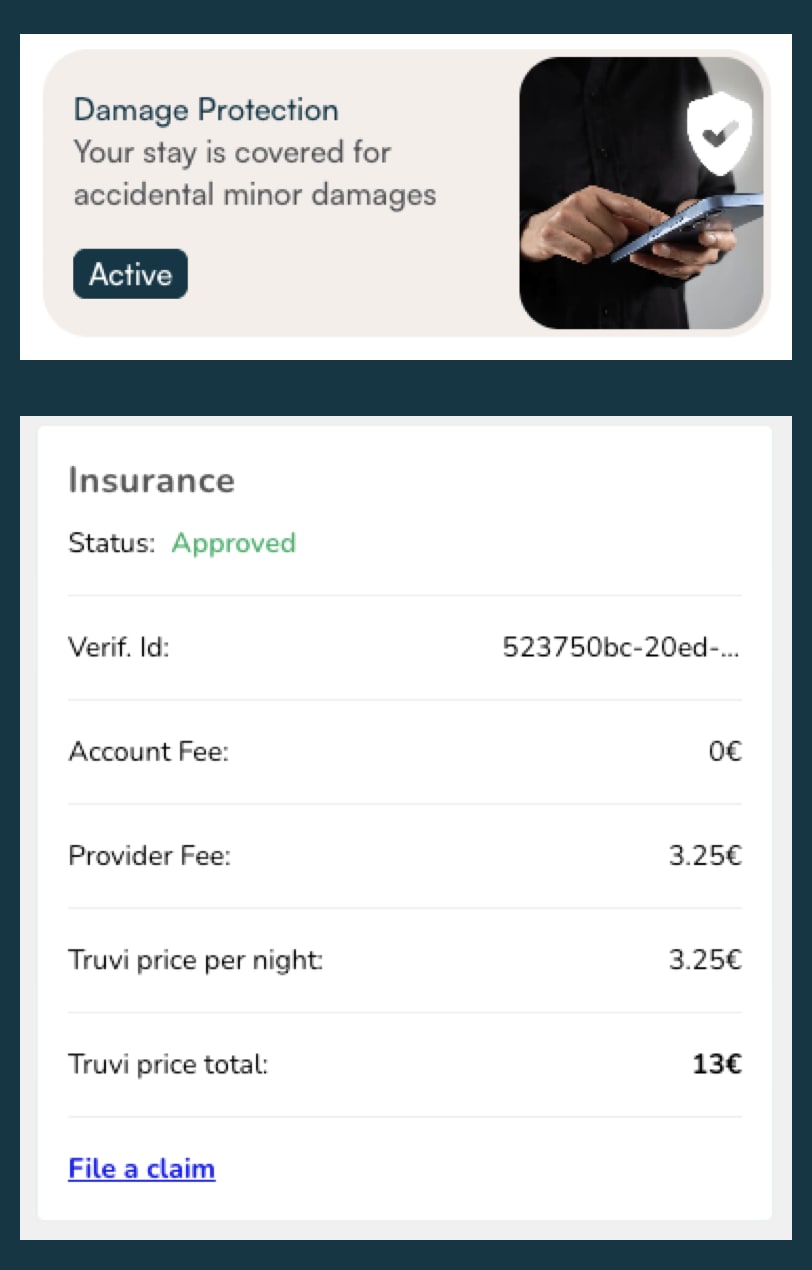
What’s New?
Website & App
Truvi as Alternative to Deposit:
- External damage insurance — Hosts can now offer Truvi, an external damage insurance provider, as an alternative to a security deposit in the Online Check-In. Unlike the internal Damage Protection, Truvi provides actual insurance coverage for damages through an external insurer.
This feature requires activation and is subject to an additional fee. Contact R&D or your Partners Manager to get started.
AI-based Document OCR:
- Upgraded scanning engine — Document scanning in the Online Check-In has been upgraded from legacy machine learning OCR to an AI-based engine, improving the accuracy and reliability of ID verification.
ECI/LCO Clock Pickers Start Empty:
- Active time selection — Early check-in and late check-out clock pickers in the OCI now start empty, requiring guests to make an active selection. This drives ECI/LCO upsell opportunities and distributes check-in and check-out times more evenly across the day.
SIBO
Member Since Date in Booking Details:
- Guest loyalty visibility — Staff can now see the date & time a guest first became a member, displayed in Booking Details next to their membership level. This gives the team quick visibility into guest loyalty history without leaving the booking view.
Intelligence Hub:
- Centralized BI dashboards — A new Intelligence Hub is now available in SIBO menu, giving staff access to all BI dashboards covering Revenue, Operations, Sales, and Quality in one place. Each staff member can request access to the dashboards they need directly through the hub.
Enhancements & Bug Fixes
- Fixed (SIBO) — When creating a quote, the guest count selected by the agent was ignored and always sent as 1. The selected value is now correctly passed.
- Fixed (SIBO) — Invoices failed to generate for bookings that were relocated or altered after the original reservation, even when breakfast was included.
- Fixed (SIBO) — Agents with the correct password access level received an “Insufficient permissions” error when copying certain passwords.
- Fixed (Website/App) — The member discount badge and price toggle were displayed on the property, unit, and booking pages even when no member pricing applied. Both are now hidden when no member price is returned.
- Fixed (Website/App) — Guests were shown an incorrect walking time from their apartment to the lobby on the First Day Experience screen due to outdated distance data.
- Fixed (Website/App) — The membership teaser banner reappeared on the payment confirmation page after a guest chose to skip the member price.
- Fixed (Website/App) — When a guest ordered internal Damage Protection, the system incorrectly attempted to create a Truvi coverage request, causing a logged error.
- Fixed (Online Check-In) — After authorizing a PayPal payment, guests were returned to the Protection step instead of progressing to House Rules.
- Fixed (Online Check-In) — When Damage Protection was declined as an additional service, the entire payments step was skipped, leaving mandatory charges such as City Tax and Cleaning Fee uncollected.